From the reel to the meeting
A landing page for every listing, one place for all the listings you market, a CRM for your leads and meetings that book themselves into your calendar. Here's what it looks like inside.
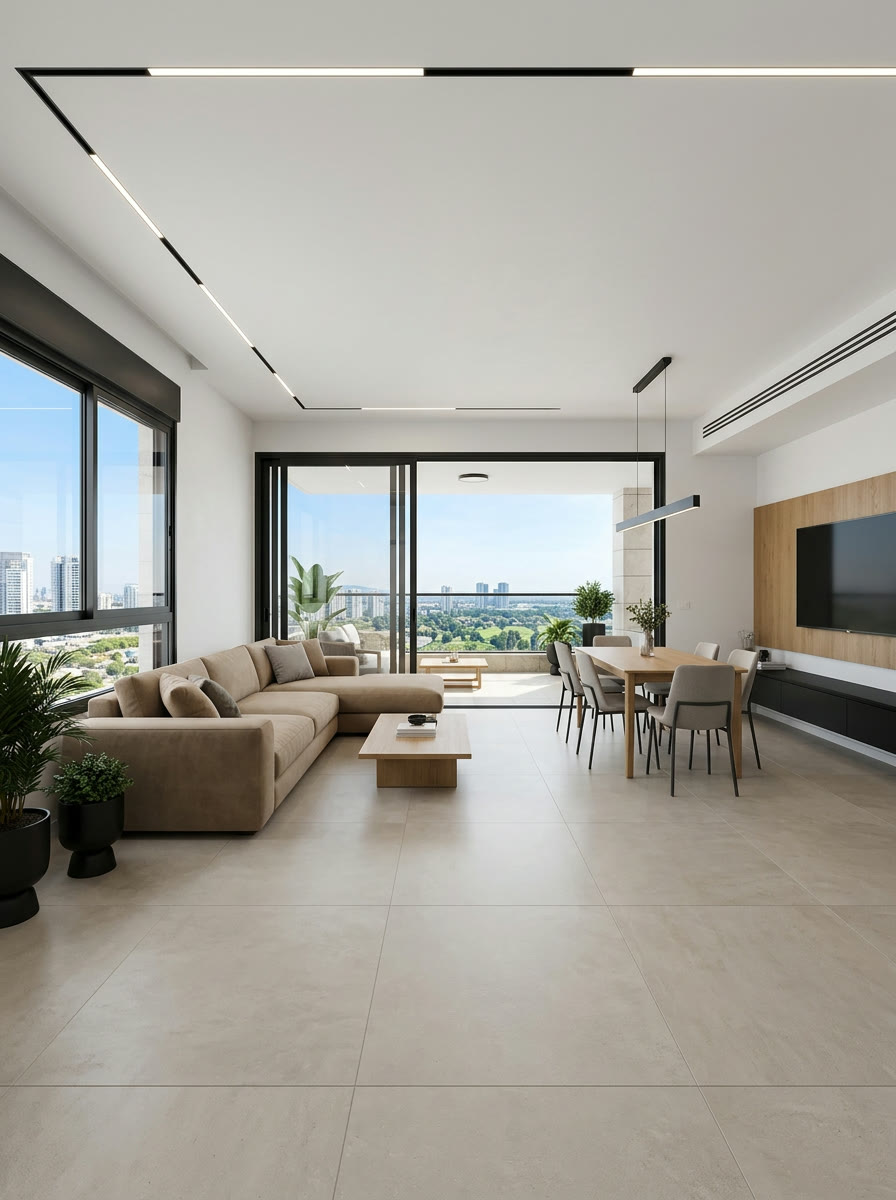
(New feature)New: reels from a floor plan
A project still under construction? Upload the plan and get a rendering of every room, a top-down view and a finished reel — with a presenter or without.
A landing page for every listing
Every listing gets a luxury mobile page with the reel, the photos, the details and your brand. Send one link on WhatsApp, Facebook or Instagram — and interested buyers leave their details.
What you get
- The reel, the original photos and every listing detail on one page
- A polished link preview when you share it on WhatsApp, Facebook and Instagram
- A contact form that goes straight into your CRM
- Extra exposure on Nadlaniko's listings page and on your own agent page
- Your brand: logo, colours, photo and contact details
- A chatbot on the page that answers visitors only from the listing details and your agency description, and collects name and phone into the CRM
- Built-in share buttons and one-tap copy link
The listing itself is written in Hebrew; the page's buttons and form follow the visitor's language.
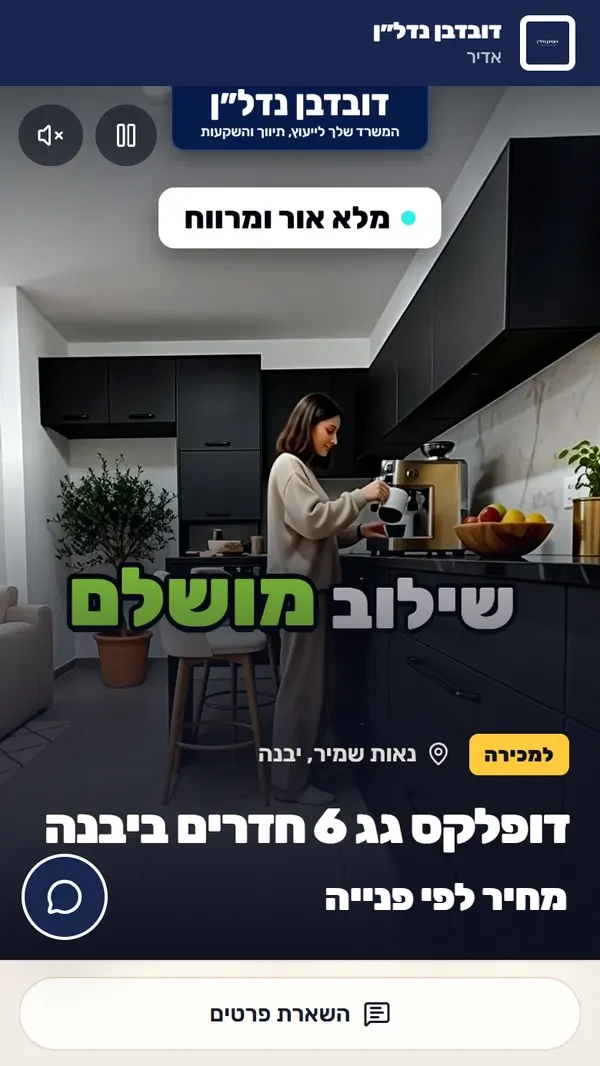
Screenshot of a real listing page
Your listings area
Every listing you market, in one place. For each one: photos, details, AI ad-copy suggestions and marketing ideas, its reels, publishing to social networks and its status.
Add your first listingWhat you get
- A card for every listing: photos, details, price and status
- AI suggestions for the ad copy, plus marketing ideas
- The listing's reels and social publishing from the same screen
- Views and leads for every listing at a glance
- Import a listing from a link to your Facebook / Marketplace post — text and cover photo included
- The listing's landing page updates from the details you fill in
- Published or draft — you decide what the public sees



Illustration · demo data
A CRM for your leads
Every lead from a landing page, the chatbot, a booking form or one you add yourself goes into one list — with the listing they asked about and what they're looking for.
What you get
- Listing, area, budget, rooms and when they plan to buy
- Seriousness: hot, warm or cold
- Pipeline stage: new, contacted, meeting, offer, closed
- An email to you on every new lead
- A client card with notes and follow-up dates
- Filters by area, budget, rooms, seriousness and stage — and a view by listing
- A dashboard with charts
Illustration · demo data
Meetings straight to your calendar
The bot and the “book a visit or a call” form on the listing page book meetings on their own, only in your free slots — and they land in Google Calendar.
The booking form comes with every plan; booking through the chatbot comes with the AI chatbot.
What you get
- Automatic booking, only in your free slots
- Google Calendar sync: busy times are blocked, meetings are added
- A viewing or a phone call — the buyer chooses
- A calendar view inside the app
- Meta, Google, TikTok and LinkedIn tracking pixels in the same package
Illustration · demo data
What's in which plan
Landing pages, the listings area, the lead CRM, meetings in your calendar and tracking pixels come with every plan. How many live pages, chatbot conversations and calendars you get depends on the plan.
Your next listing is ready for its close-up
Open an account, choose a plan or credits, and upload your first listing.